
Home » Login
Login securely to continue playing, betting, and managing your account
Use the GOWINBD login to access your account fast on mobile. Sign in to back your cricket picks, spin JILI slots, and manage your balance with confidence. The interface is built for quick taps, so you can check bets, claim offers, and return to the action in seconds.
Always use the GOWINBD official site and check the padlock before entering details. Your account verification keeps funds safer, and the name on your payments should match your profile. For a direct path, tap GOWINBD Official Link and go straight to the secure form.
Six smart reasons to login daily for control, rewards, and speed
Personalized offers based on your play
Get targeted deals that fit how you bet and play, including cricket boosts and JILI free spin drops tailored to your activity.
Faster actions on mobile, fewer taps
Save time with quick access to bets, favorites, and recent games. The layout is designed for one-handed use on the go.
Live cricket odds and in-play visibility
See lines move in real time, track scores, and place in-play bets with updated markets when you’re signed in.
Saved preferences across devices
Your settings, favorites, and deposit limits sync between the GOWINBD app and website once you’re logged in.
Exclusive login-only promos and missions
Daily logins can unlock missions, check-in streaks, and time-limited boosts you won’t see while logged out.
Account security alerts and controls
Manage two-step verification, view active sessions, and receive alerts if anything looks unusual on your account.
Follow these quick steps to login on mobile or desktop reliably
- Open the GOWINBD official site in your browser or launch the GOWINBD app.
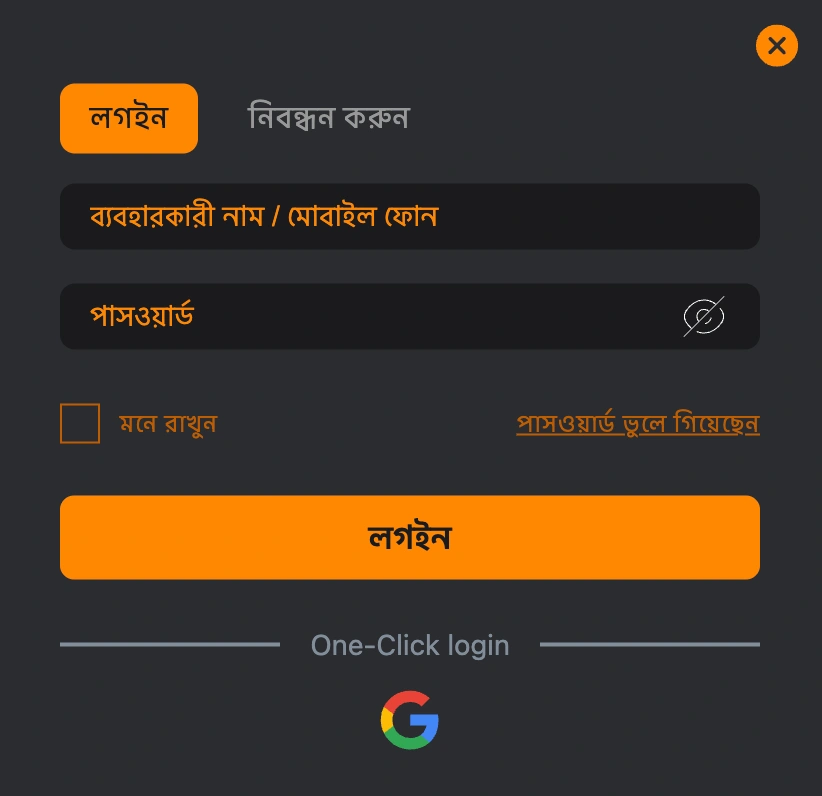
- Tap the Login button at the top of the screen.
- Enter your registered mobile number or email address.
- Type your password carefully, respecting upper and lower case.
- Complete two-step verification if you have it enabled (enter the OTP).
- Tap Sign In to access your account dashboard.
- Tick Remember Me only on personal devices you control.
- If you forgot your password, tap Forgot Password and follow the reset steps.
Practical tips to keep your login secure on shared or personal devices
Protect your account with these quick actions before you sign in, especially on mobile.
- Verify the padlock icon and correct website address before entering details.
- Use only the official app and website; avoid links from unknown messages.
- Enable two-step verification to add a one-time code for sign-ins.
- Create a strong, unique password and update it regularly.
- Avoid public Wi‑Fi for login; use mobile data or a trusted network.
- Log out after each session on shared or work devices.
- Keep your browser or app updated to the latest version.
- Never share your password or OTP with anyone, including “support” via DM.
- Ensure your payment name matches your account name to pass verification checks.
For the fastest access on mobile, install the official app via GOWINBD Download and keep auto-updates on.
Daily login rewards, check-in streaks, and time-limited boosts for active players
Logging in each day can trigger check-in rewards, streak milestones, and surprise drops tied to your recent play. Expect rotating perks such as free spins on JILI, bet credits for selected markets, or price boosts when major cricket matches go live.
Look out for push notifications in the app announcing limited-time missions that require a daily sign-in. Keep your streak, and the value grows—miss a day and the counter may reset. Terms apply, and availability can change during big events and series.
Some events highlight a special GOWINBD bonus for users who check in and complete simple tasks, like playing a featured slot or placing a small qualifying bet on match day.
Common GOWINBD login problems and the quickest ways to fix them
Wrong password or typing errors
If your GOWINBD login fails, check for caps lock, extra spaces, or swapped characters. Try Show Password to confirm input, then reset it if needed.
Too many attempts and temporary lock
Multiple failed tries can trigger a short lock for safety. Wait a few minutes, then use Forgot Password to reset securely.
OTP or two-step code not arriving
Confirm your phone has signal and check spam folders for email codes. Request a new code after 60 seconds and avoid repeated rapid requests.
Browser cache or cookie conflicts
Clear cache and cookies, then reopen a fresh tab. An incognito window can help isolate extensions that might block scripts.
Outdated app causing sign-in errors
Older versions may reject logins after updates. Install the latest GOWINBD app build and reboot your device before trying again.
Site maintenance or spotty connection
Brief maintenance windows or weak data signals can interrupt sign-ins. Wait a moment and retry on a stable connection or switch networks.
FAQ
Can I log in with my mobile number instead of email?
Yes. Use your registered mobile number or email, then enter your password and OTP if enabled.
How do I reset a forgotten password safely?
Tap Forgot Password on the login form, enter your registered details, and follow the secure reset link or OTP steps.
Is it safe to stay signed in on my phone?
Only use Remember Me on a personal device with a screen lock. Always log out on shared or public devices.
Why am I not receiving my OTP code?
Check signal, disable airplane mode, and confirm the number or email on your profile. Request a new code after waiting one minute.
How do I contact support for login help?
Use live chat or email from the Help section on the site or app. Share account details only through official channels.
Ready to sign in and continue where you left off today?
Access your account in seconds and get back to cricket markets, JILI favorites, and your saved settings. Use the official site or app and sign in with confidence.
New to the platform? Open your account first—use GOWINBD Register to start securely, then sign in to claim available offers and set your limits.
Prefer fewer taps next time? Add the site to your home screen, keep two-step verification on, and verify your details so payouts and account checks are faster when needed.